Describe your API
Write endpoint contracts for a component, add events with their consumers, and export OpenAPI or AsyncAPI.
What you'll get
- Endpoints with request and response contracts
- Events with publishers and consumers
- OpenAPI and AsyncAPI documents
Open a component’s API
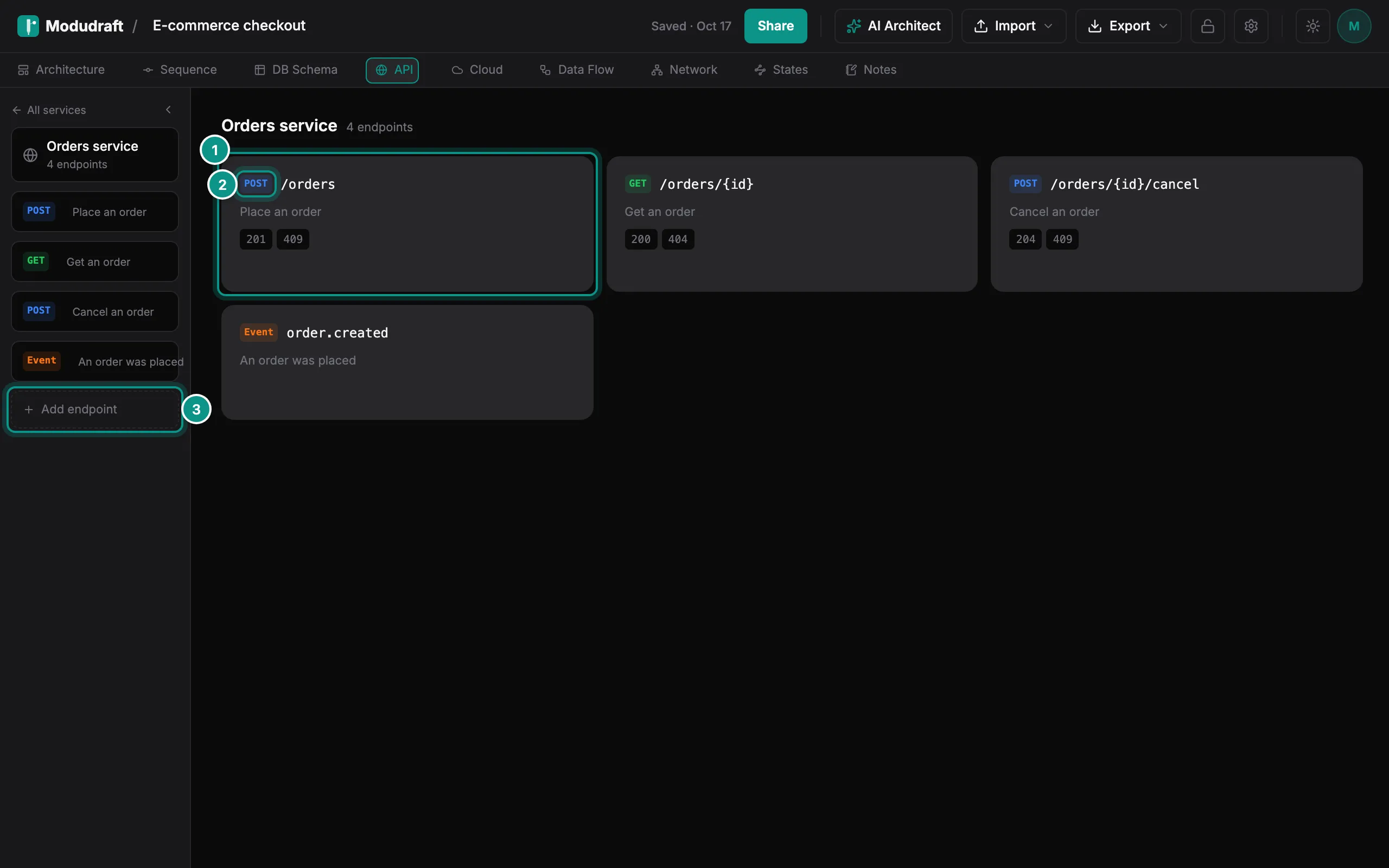
Click API in the tab bar. The left panel lists your services. Click one, such as Orders service, to see its endpoints. All services takes you back to the list.
Each endpoint is a card (1) with its method (2), its path, its summary and its response codes. Add endpoint (3) adds a new one. An endpoint can be HTTP, GraphQL, gRPC, WebSocket or an event.
Write a contract
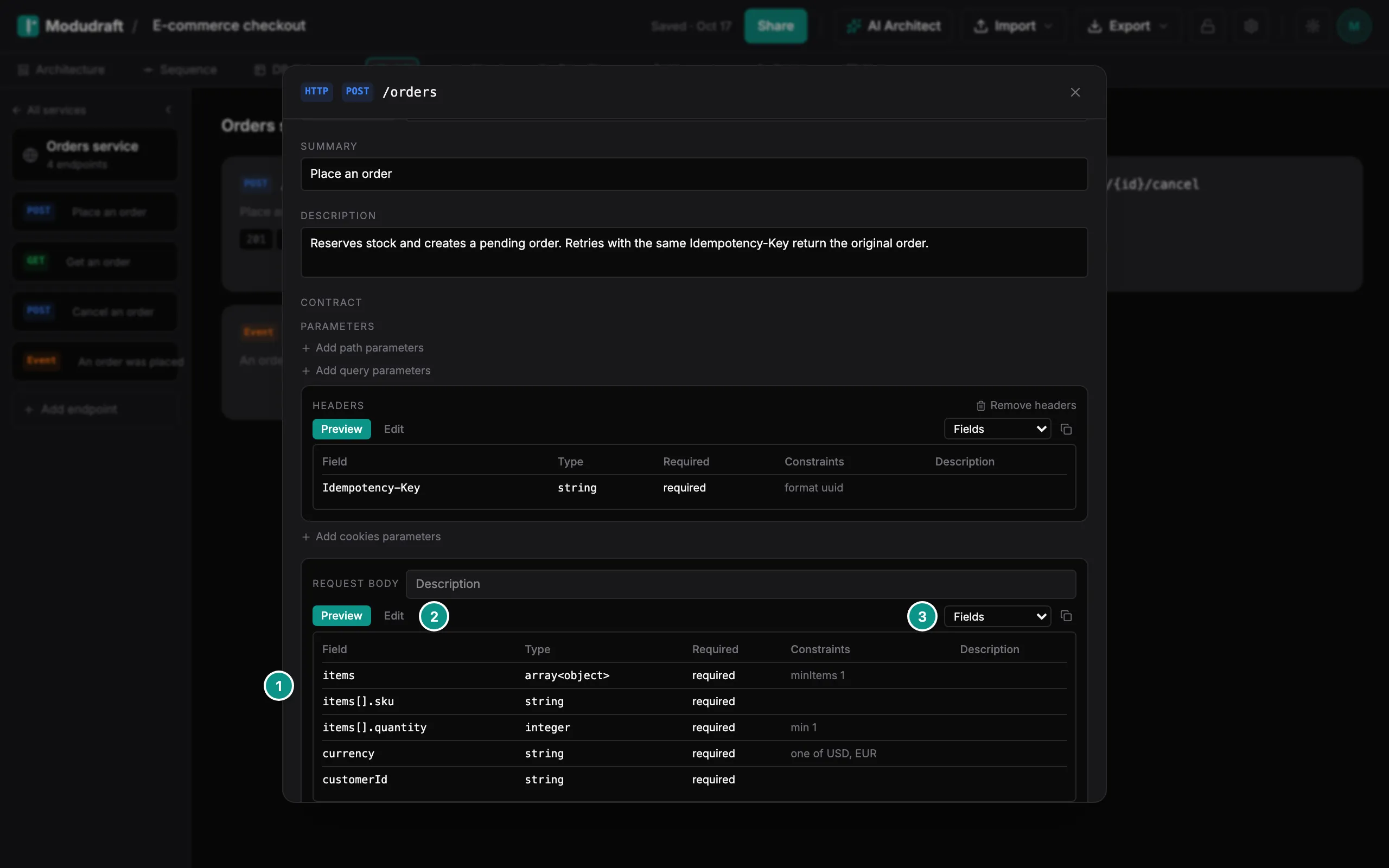
Click a card to open the endpoint. At the top you set the protocol, the method and path, a summary and a description. Below that is the contract: the parameters (path, query, headers and cookies), the request body and the responses.
Each part of the contract, such as the request body (1), has two tabs. Preview opens first, unless the schema is still empty:
- Preview shows the result. Pick how to show it (3): Fields, Example, JSON Schema, TypeScript or Pydantic. Some protocols add their own view, such as OpenAPI for HTTP or .proto for gRPC.
- Edit (2) shows the schema as YAML. Type to change it. A valid schema is kept as you type; an invalid one shows what is wrong and is not saved.
Changes save on their own, so there is no Save button. Close the dialog when you are done.
Add events and consumers
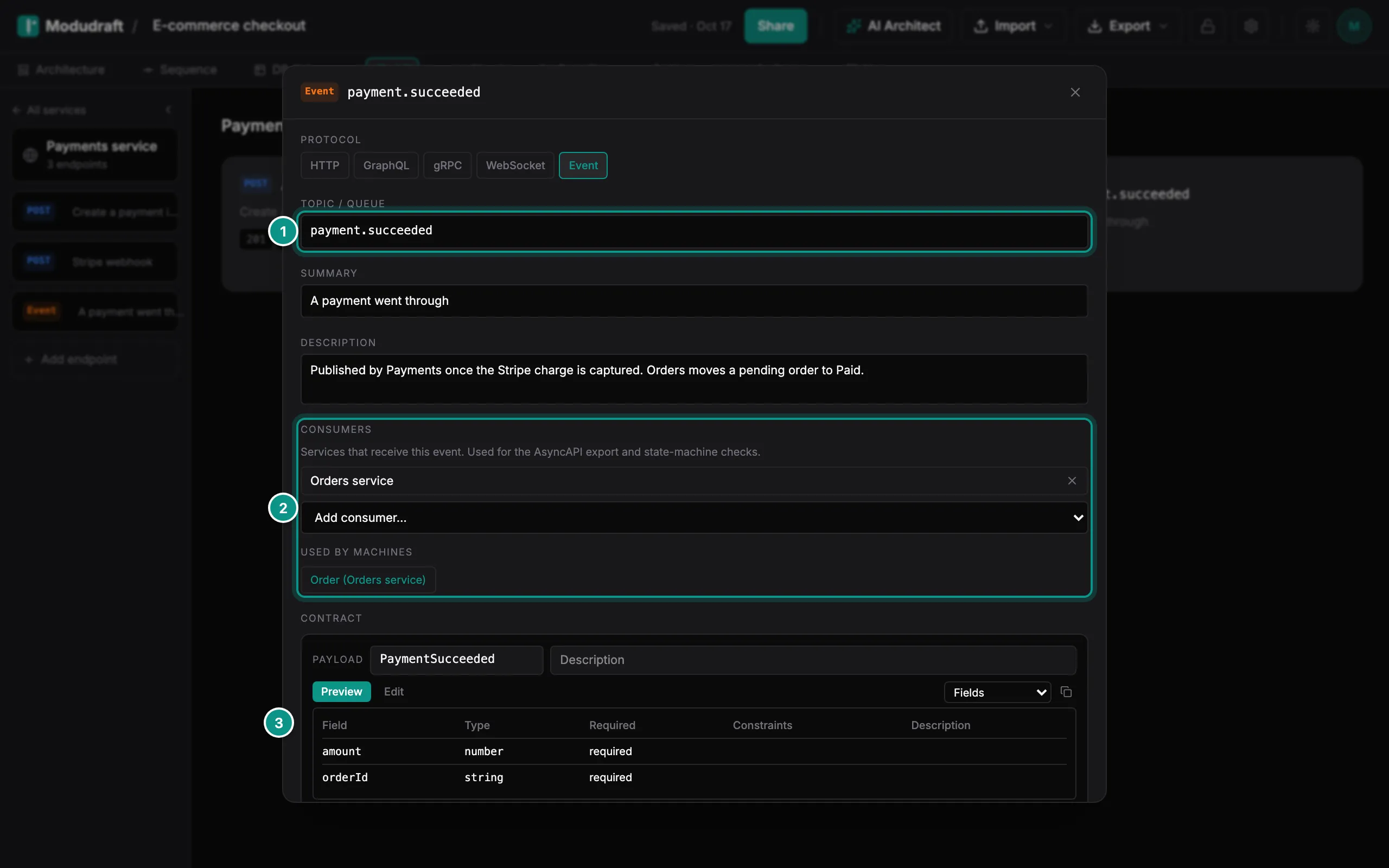
An event is an endpoint with the Event protocol. The component that owns it publishes it. Here, Payments service publishes payment.succeeded, named in its topic field (1).
Under Consumers (2), list the components that receive the event. Pick them from Add consumer. The AsyncAPI export uses this list, and so do the state machine checks. When a state machine reacts to the event, it shows under Used by machines.
The payload (3) is the event’s contract, written like a request body.
Export OpenAPI and AsyncAPI
On the API tab, open Export in the toolbar. Under This tab:
- OpenAPI… writes your HTTP endpoints as an OpenAPI document. Endpoints of other protocols are left out, and the dialog says how many.
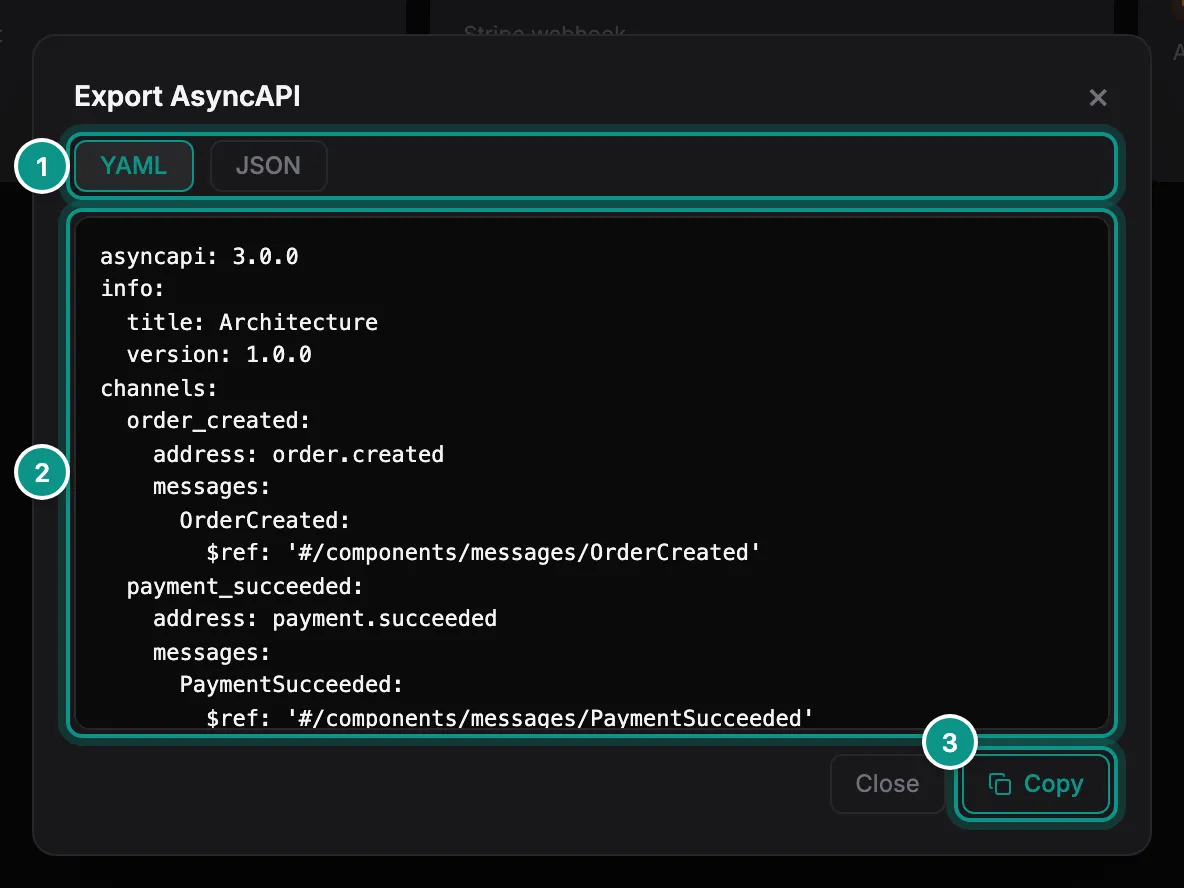
- AsyncAPI… writes your events as an AsyncAPI 3.0.0 document. It shows once the diagram has an event.
Both cover every service in the diagram. Choose YAML or JSON (1), check the document (2), then click Copy (3).
The state machines docs explain how events and endpoints drive a state machine.
Next, map where your components run in the Cloud guide.