Write notes next to the diagram
Keep decisions, numbers and links in Markdown notes that live in the same file as the diagram.
What you'll get
- Notes saved with the diagram
- Images and templates
Open Notes
Click Notes in the tab bar. Each diagram has one set of notes. They are saved in the diagram itself, so a .modudraft export carries them too.
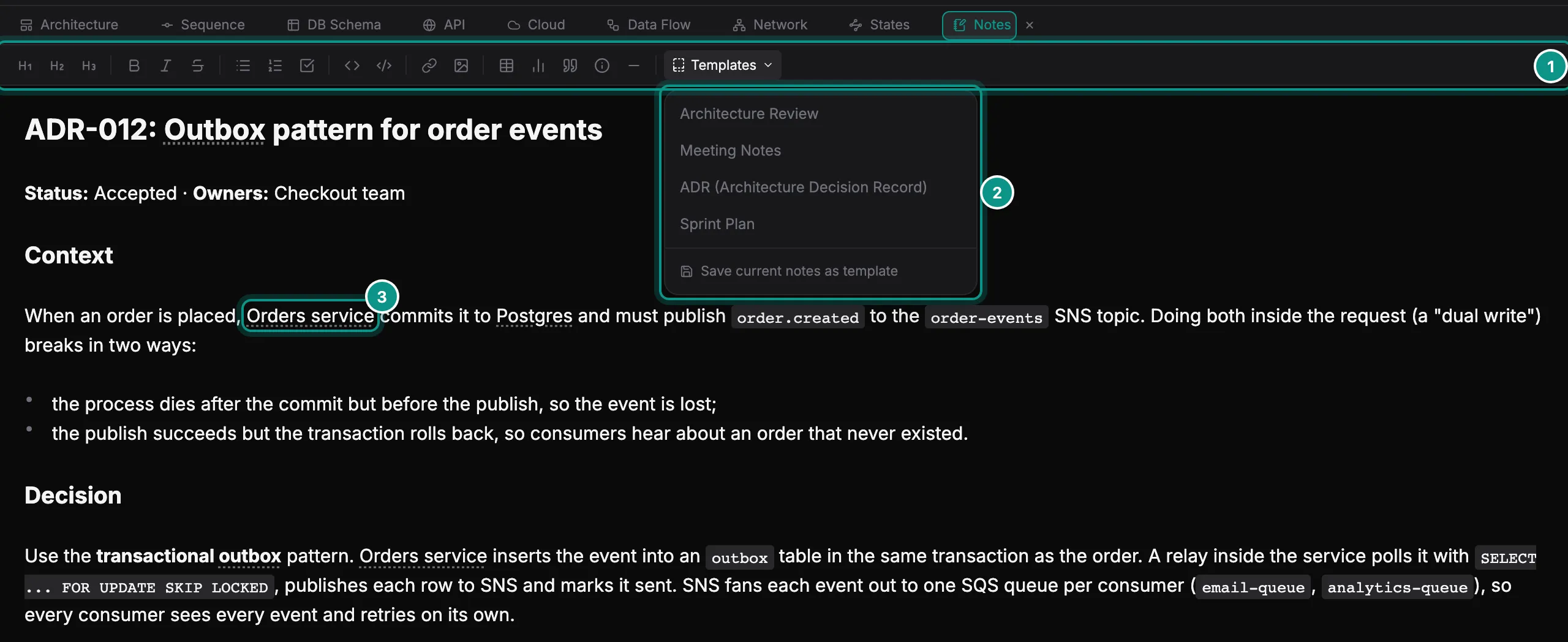
The toolbar (1) adds headings, bold, italic, lists, checklists, code, links, images, tables, charts, quotes and math. Templates (2) inserts a ready-made outline: Architecture Review, Meeting Notes, ADR or Sprint Plan. Save current notes as template keeps your own, in this browser.
Names from your diagram are underlined with dots, such as Orders service (3). That works for components, endpoints and tables. Point at one to see what it is, and Ctrl-click it (Cmd-click on a Mac) to jump to it.
Write in Markdown
Notes are Markdown. Each line shows formatted until you click it. Then you edit its Markdown, and it shows formatted again when you move on.
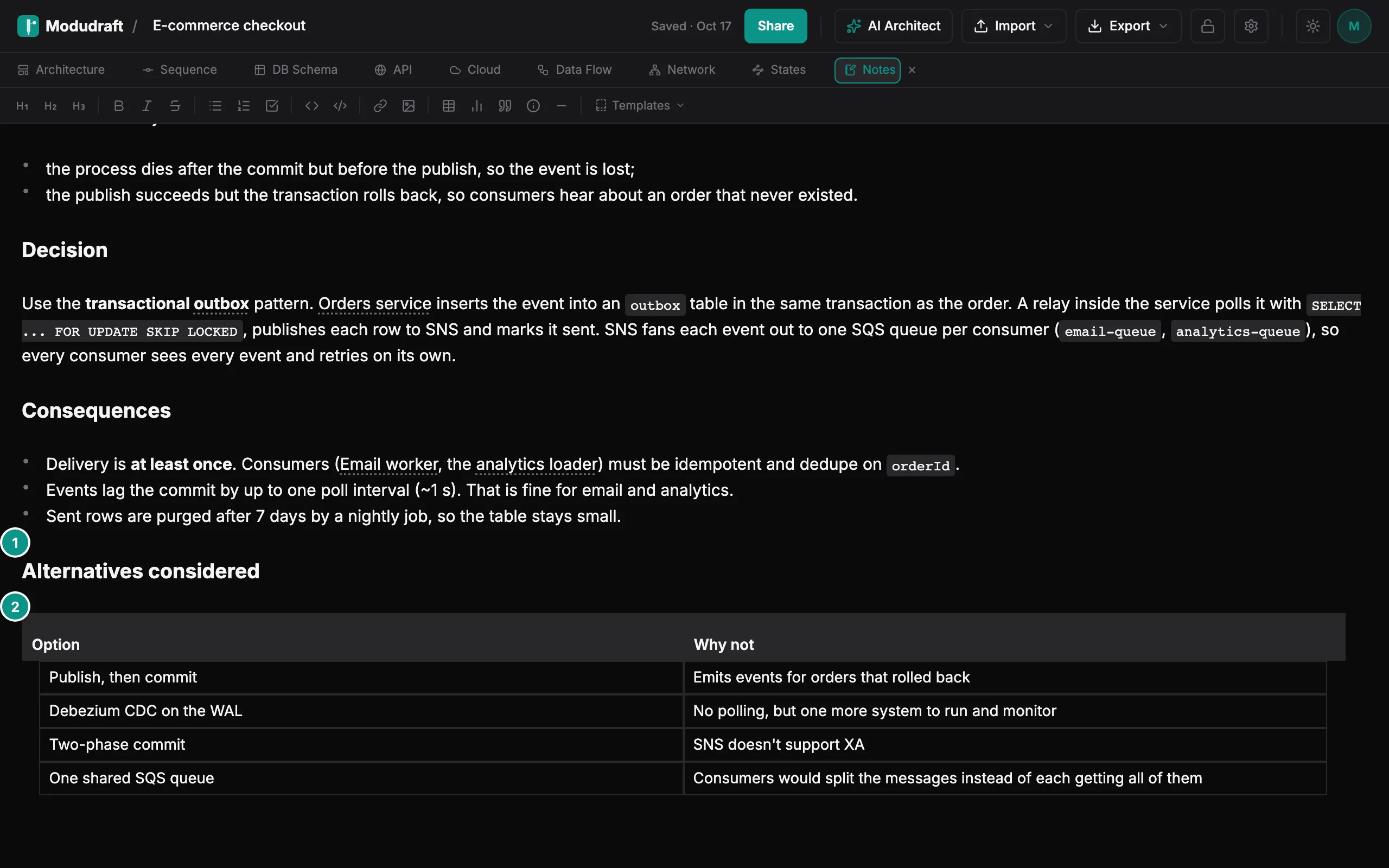
- Headings (1), lists and quotes use the usual Markdown marks:
##,-and>. - Tables (2) are Markdown tables. Click a row to edit it cell by cell, and add rows and columns as you go.
- Images come from the image button in the toolbar. Pick a file up to 10 MB; Modudraft shrinks it, and it must fit in 500 KB after that.
Let your agent keep them
Your agent can read the notes and add to them, so decisions get written down while you work.
Agents connect through the Modudraft MCP server, which comes with Pro. The agent guide shows how to connect yours.